// v1.0.2 · for Windows

Your money,
on your machine.

Bank sync, budgets, AI insights — all the power of a SaaS finance tool, none of the trust required. Vaultly is a desktop app for Windows that keeps your data on your disk and your bank credentials with the people who actually issued them.
30-day trial No credit card One-time purchase
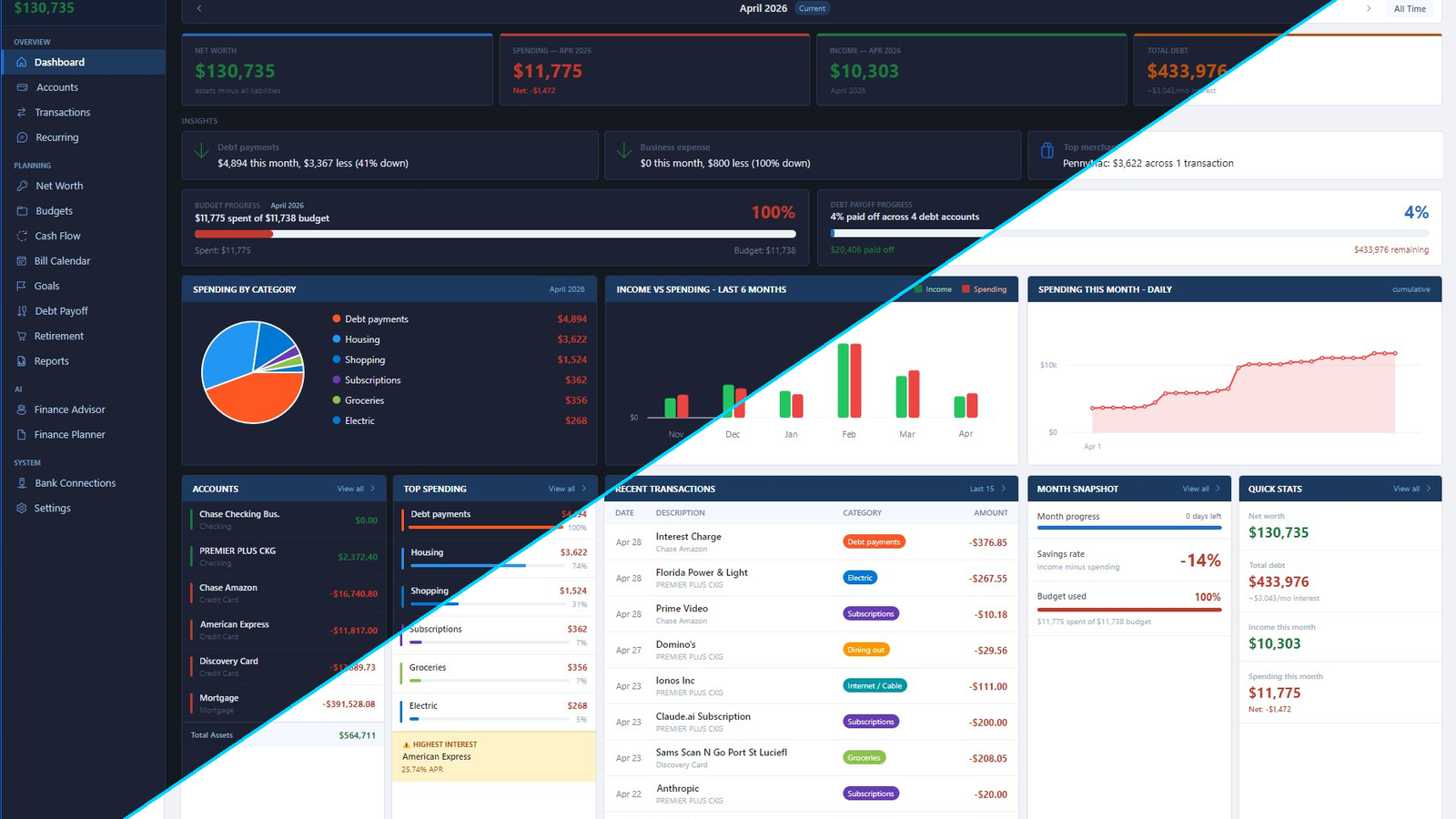
Vaultly dashboard — split between light and dark themes
10,000+
Banks Supported
3
Sync Methods
11
Modules
$0
Per Month, Forever

A finance app that respects how money actually works

Built for the people who run their own household budget AND the small-business owners who keep books separate from personal — same app, different data, both private.

Personal & business in one

Tag accounts as Personal or Business. Reports stay separate, dashboards stay clean, tax categories stay correct. No second subscription.

Privacy by architecture

SQLite database on your own disk. No vendor cloud, no aggregator holding your bank password, no analytics phoning home. The only network call is license validation.

AI on your terms

Bring your own Claude or OpenAI API key. Vaultly never proxies through our servers — your transactions never leave your machine until you decide to ask a question.

What's actually in the box

Eleven modules covering the things you'd otherwise need three apps and a spreadsheet to handle.

// 01 · Bank sync

Three ways to get your data in. None of them require giving up your bank password.

Connect via SimpleFIN Bridge for read-only daily refreshes from 10,000+ banks. Or skip aggregators entirely and import OFX/QFX files — the same format your bank's "Download to Quicken" button has produced for two decades.

  • Read-only by design — Vaultly can't initiate transfers
  • Auto-refresh on schedule, manual refresh on demand
  • Direct file import means total offline mode is supported
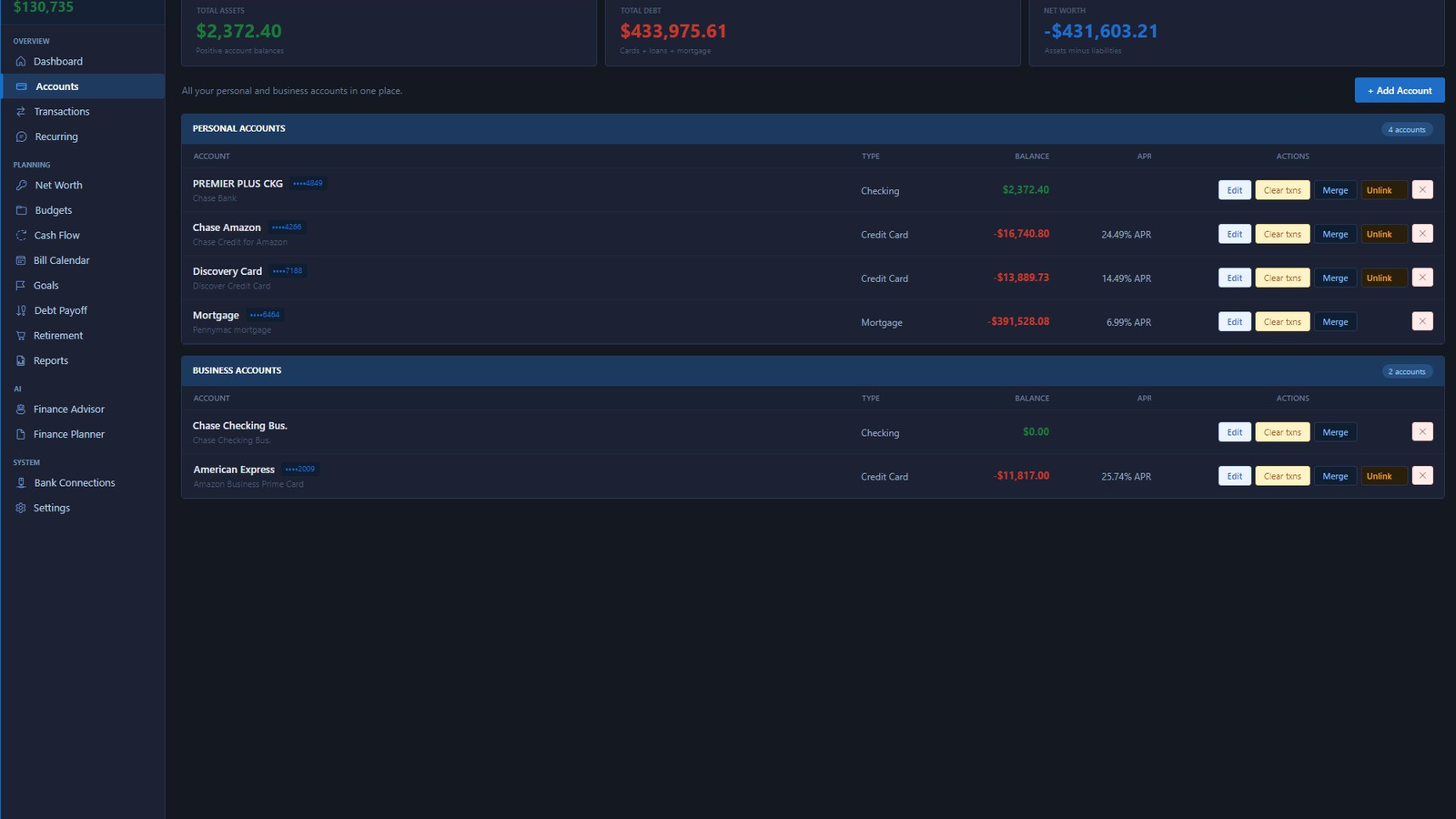
Vaultly accounts view — personal and business accounts separated
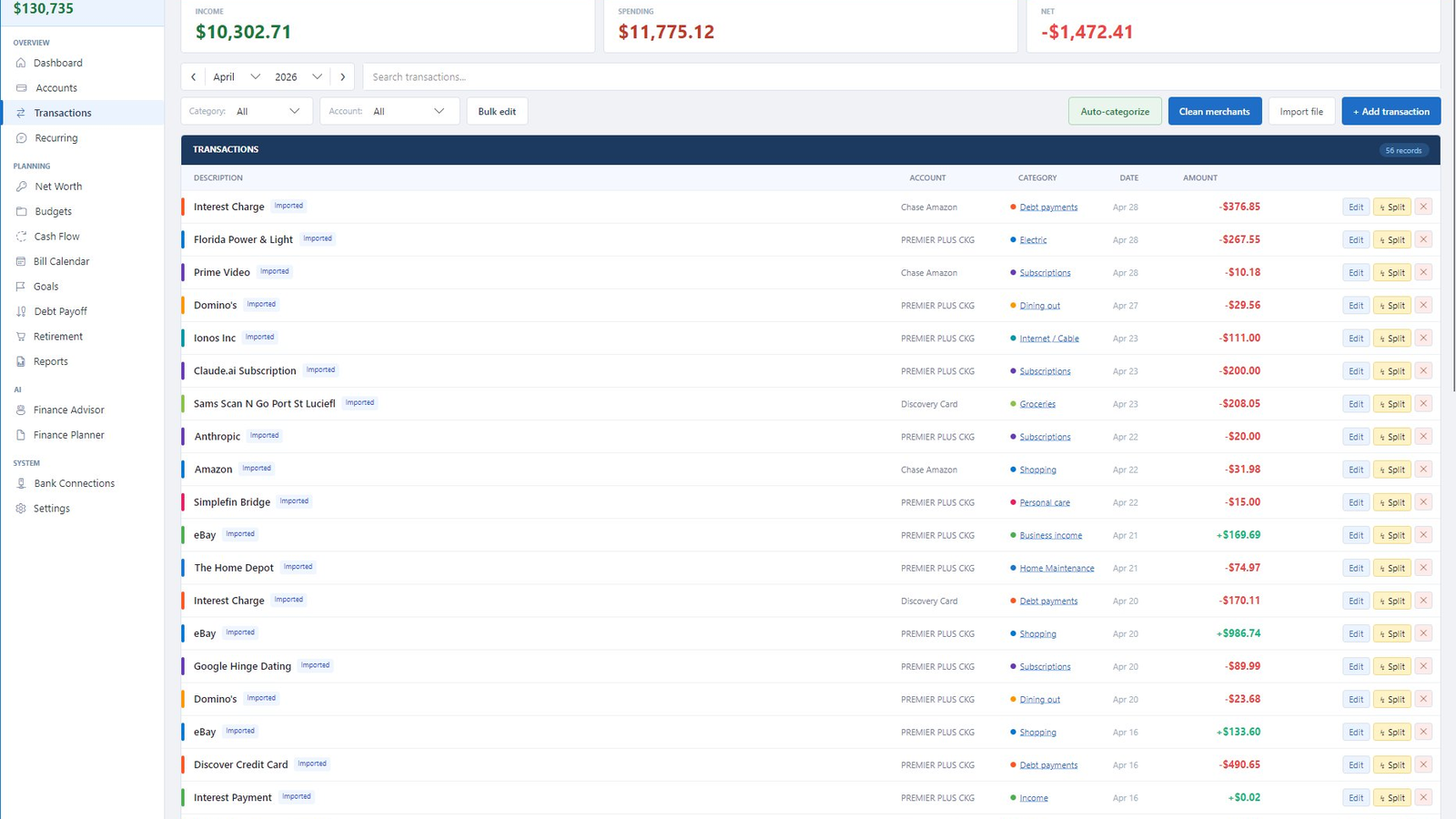
// 02 · Categorization

Categorization that actually learns. Once. Forever.

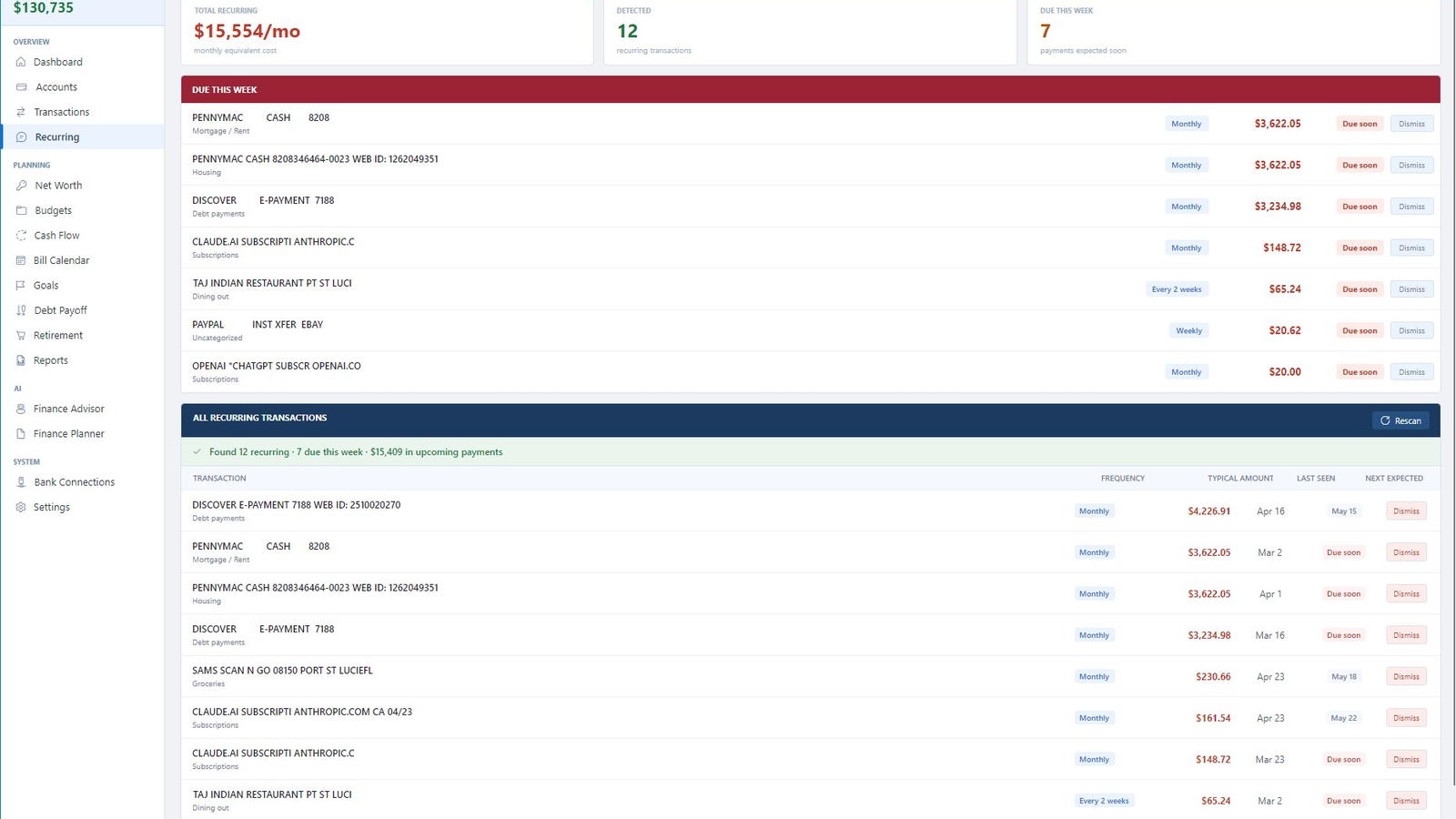
Auto-categorization rules clean up cryptic merchant names ("AMZN MKTPLC US*XV3W2" → "Amazon Shopping") and remember corrections. Splits, transfers between your own accounts, and recurring detection are built in — not paid add-ons.

  • Pattern engine matches by merchant fingerprint, not exact string
  • Bulk-edit any view to retrain categorization in seconds
  • Imported transactions never get silently re-categorized
Vaultly transactions list with cleaned merchant names
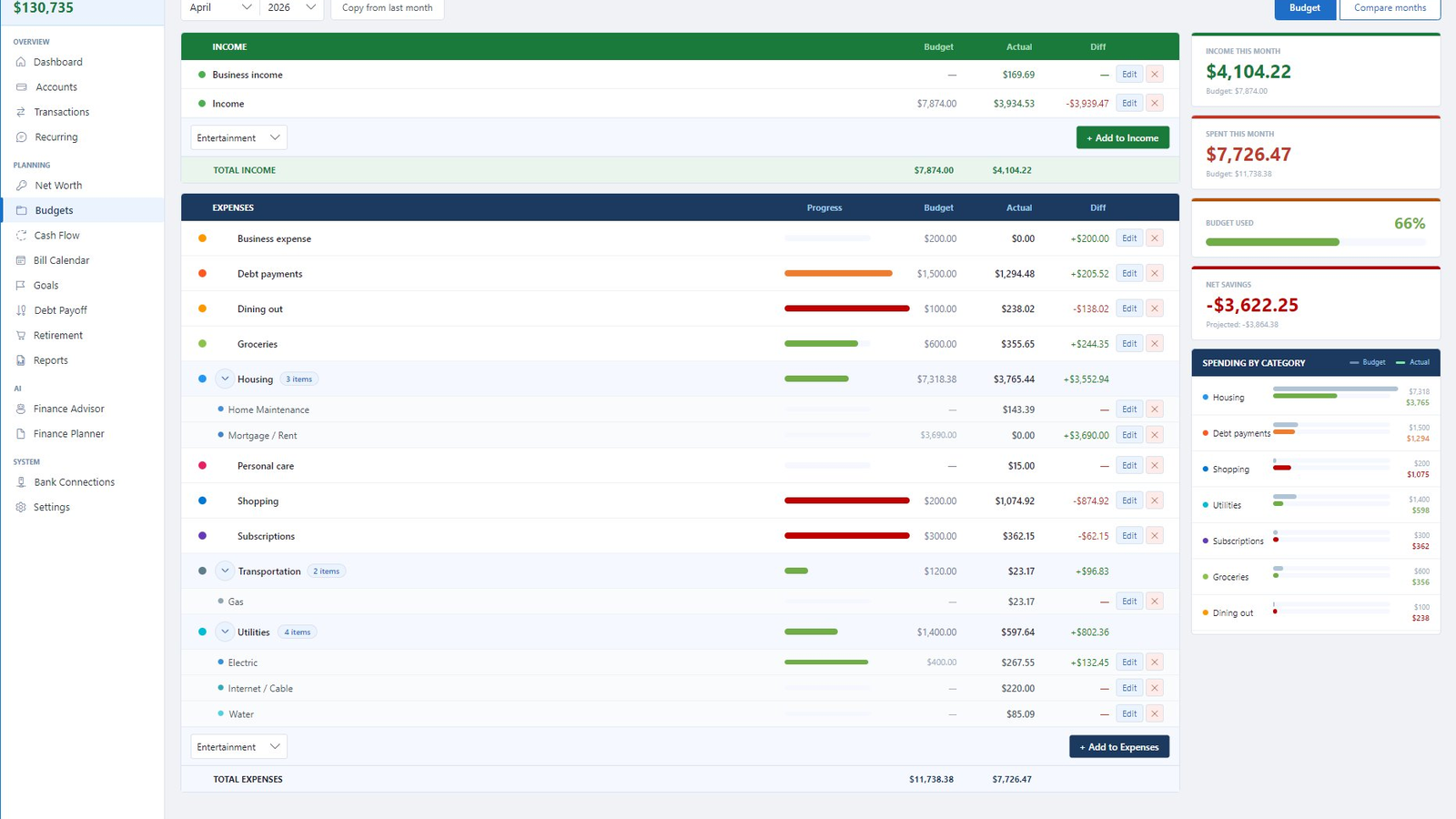
// 03 · Budgets

Budgets that show you where you actually are.

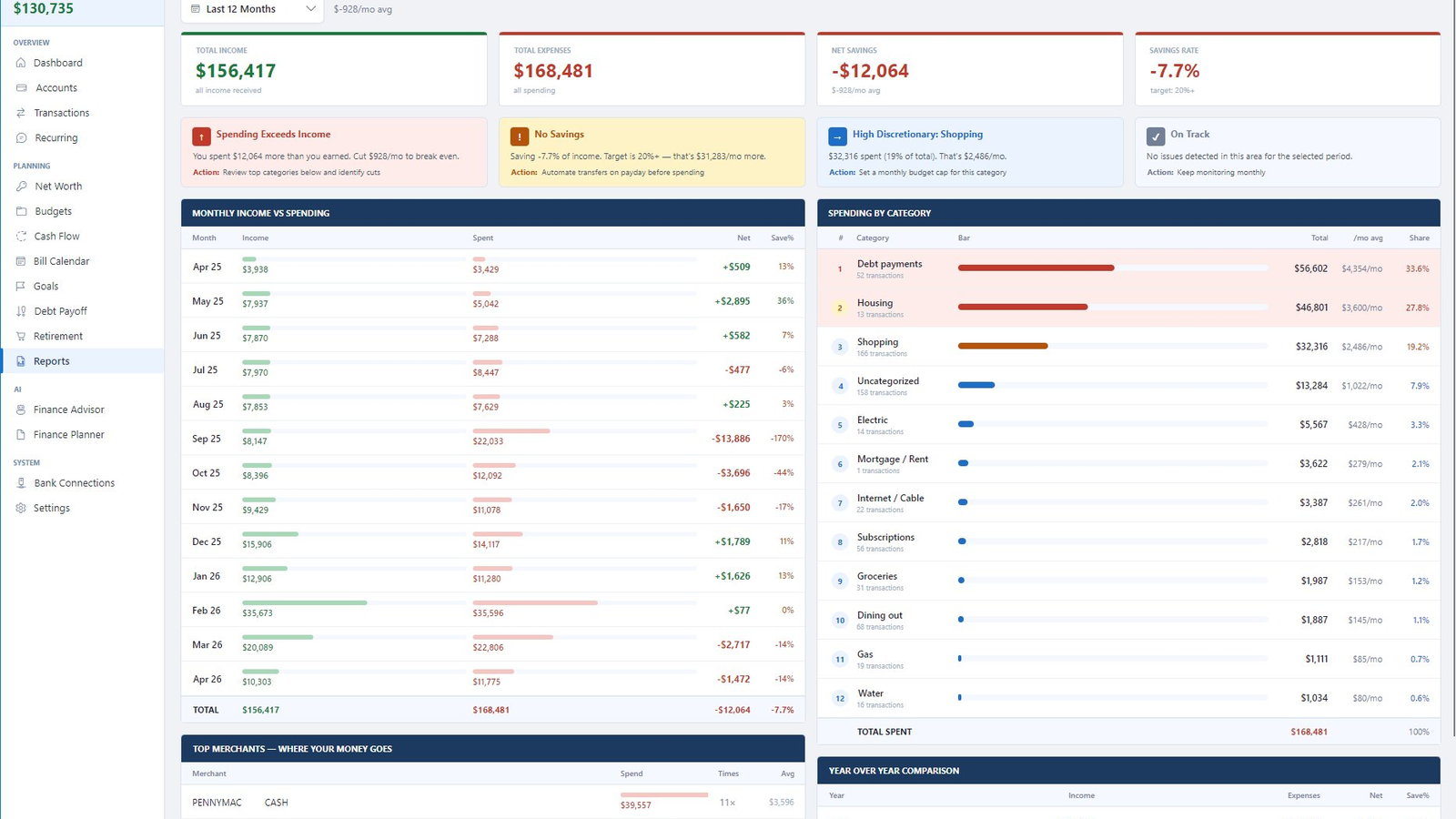
Monthly budgets per category with progress bars, "spent so far" projections, and over-budget warnings. Sub-categories let you drill in without losing the parent view. Compare months side-by-side to see your real trend.

  • Hierarchical categories (e.g. Housing → Mortgage / Maintenance)
  • Income vs. expense table at the top of every view
  • Net savings projection updates as the month progresses
Vaultly budgets with category drill-down
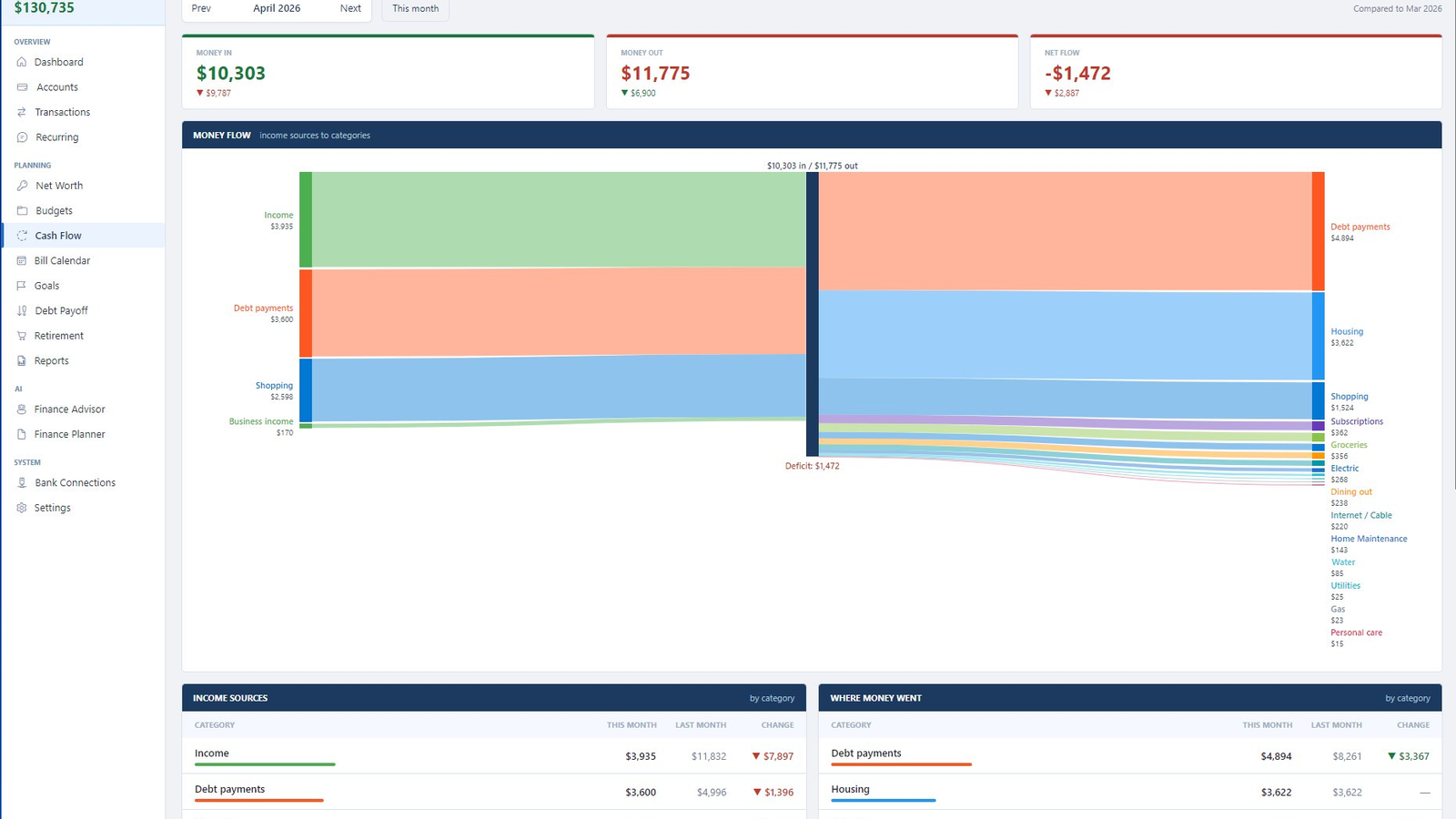
// 04 · Cash flow

See where your money actually goes.

The Sankey-diagram cash flow view shows your income sources flowing into expense categories at a glance. No personal finance app does this — it makes the deficit problem viscerally obvious in a way that bar charts can't.

  • Drag-aware: hover any band to see exact dollar flow
  • Compare this month vs last to spot category drift
  • Income / expense breakdown tables below the chart
Vaultly cash flow Sankey diagram
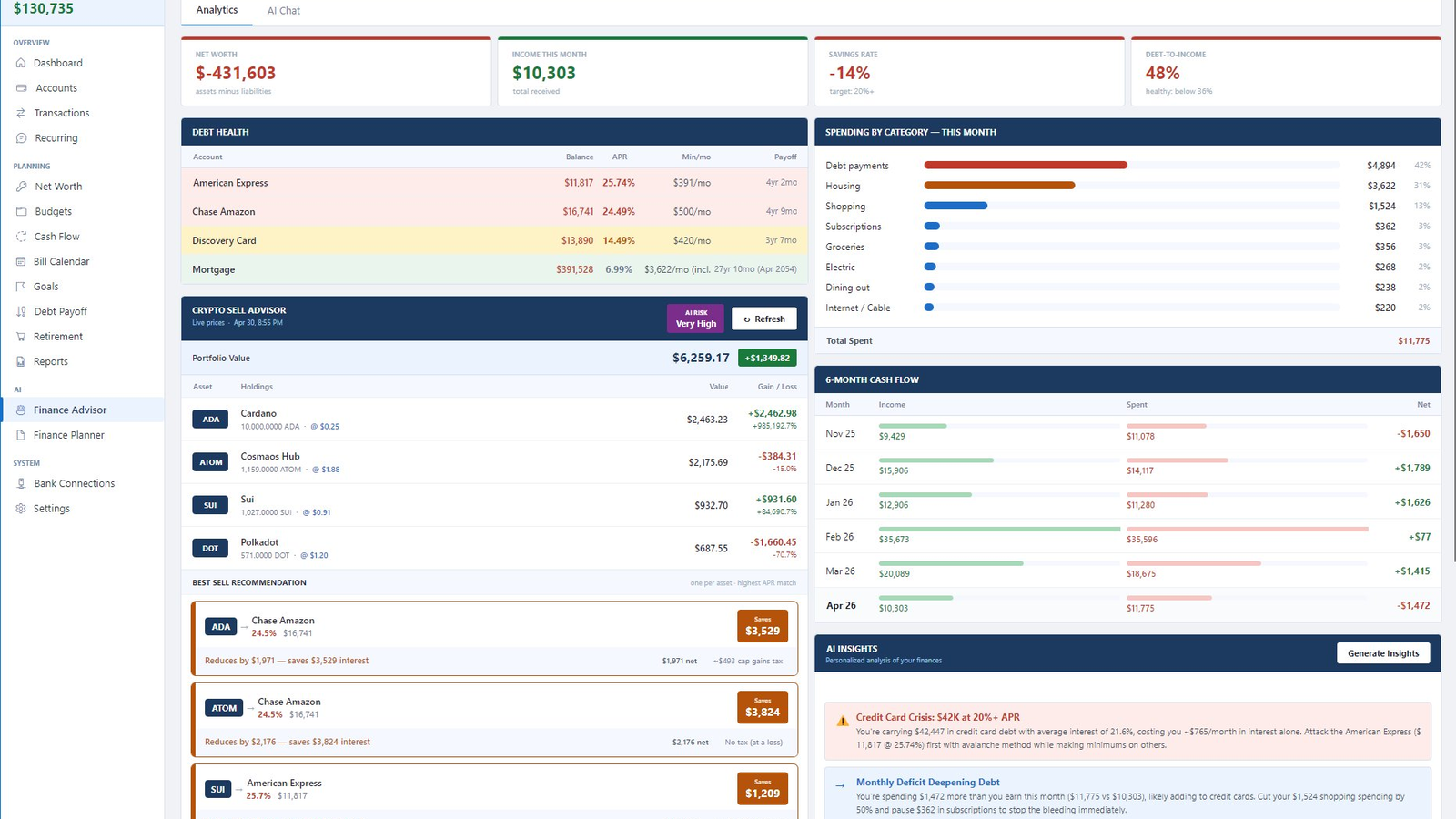
// 05 · AI Advisor

An AI that reads your real numbers — without sending them anywhere.

The Finance Advisor analyzes your debts, spending patterns, and crypto holdings to surface specific actions. "Credit Card Crisis: $42K at 20%+ APR — attack American Express first with avalanche method." Concrete, math-backed, and you can ignore it without a guilt-trip nag.

  • BYO API key for Anthropic Claude or OpenAI
  • Crypto sell advisor with tax-aware recommendations
  • Generates personalized insights on demand, not on a schedule
Vaultly AI Finance Advisor with debt insights
// 06 · Debt payoff

The debt math nobody wants to do.

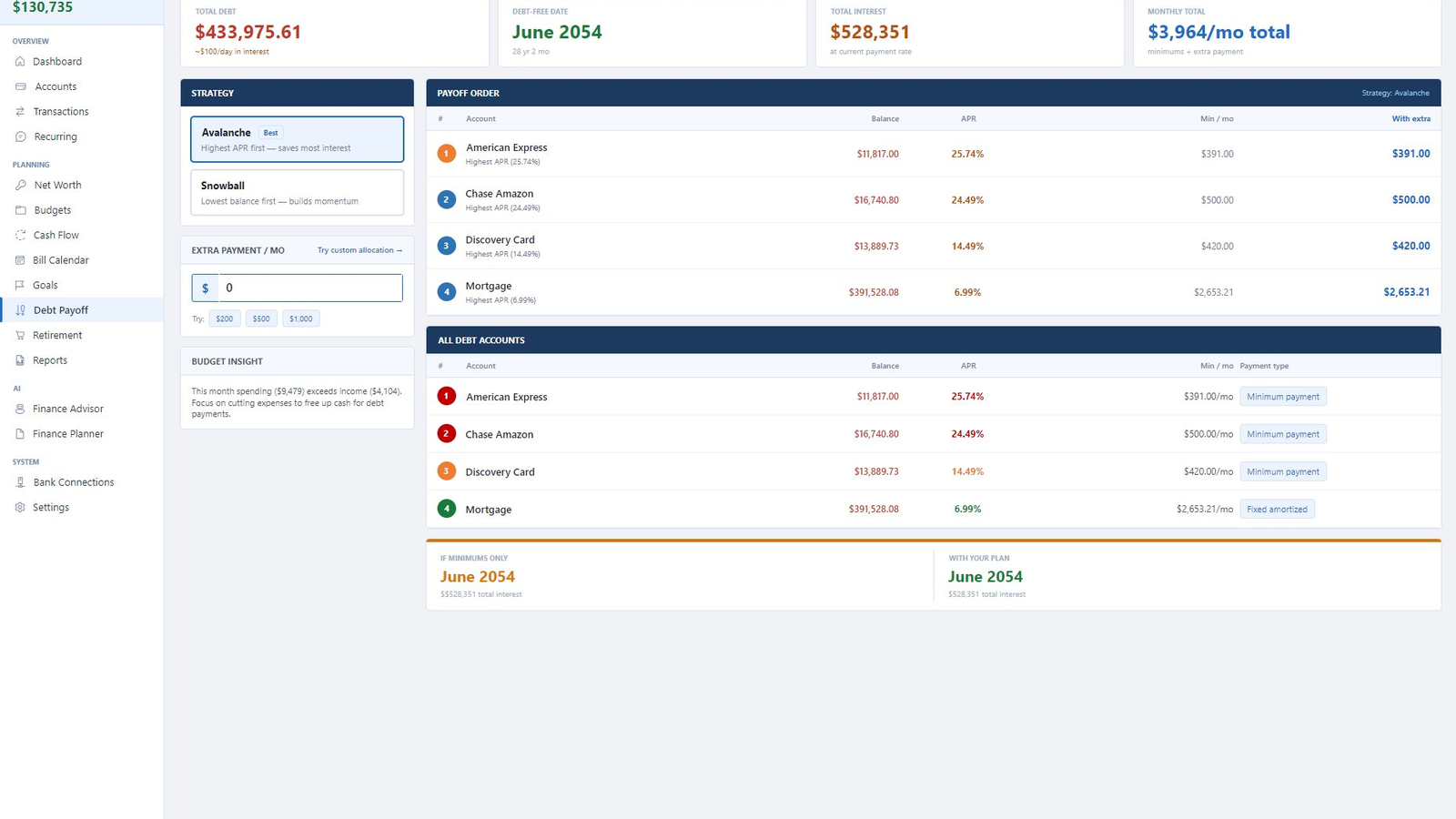
Avalanche vs. snowball strategies, custom extra payment allocation, and the actual debt-free date including interest. See "if minimums only" vs "with your plan" side-by-side — turning out you're 27 years from debt-free at minimums and 8 years with $500/mo extra is a wake-up call.

  • Avalanche (highest APR first) and Snowball (smallest first) compared
  • Custom payment splits across multiple accounts
  • Total interest saved calculated to the dollar
Vaultly debt payoff planner with avalanche strategy

Vaultly vs. the alternatives

Honest about where each tool wins and where Vaultly fits.

Vaultly Mint Quicken Spreadsheet
Data on your machine ✓ ✗ ✗ ✓
Bank sync ✓ discontinued ✓ manual
AI insights ✓ BYO key ✗ ✗ ✗
Personal + business ✓ same app personal only separate $ ✓
Pricing model $49 once $0 (ads) $59/yr forever $0
Currently active ✓ shut down 2024 ✓ ✓

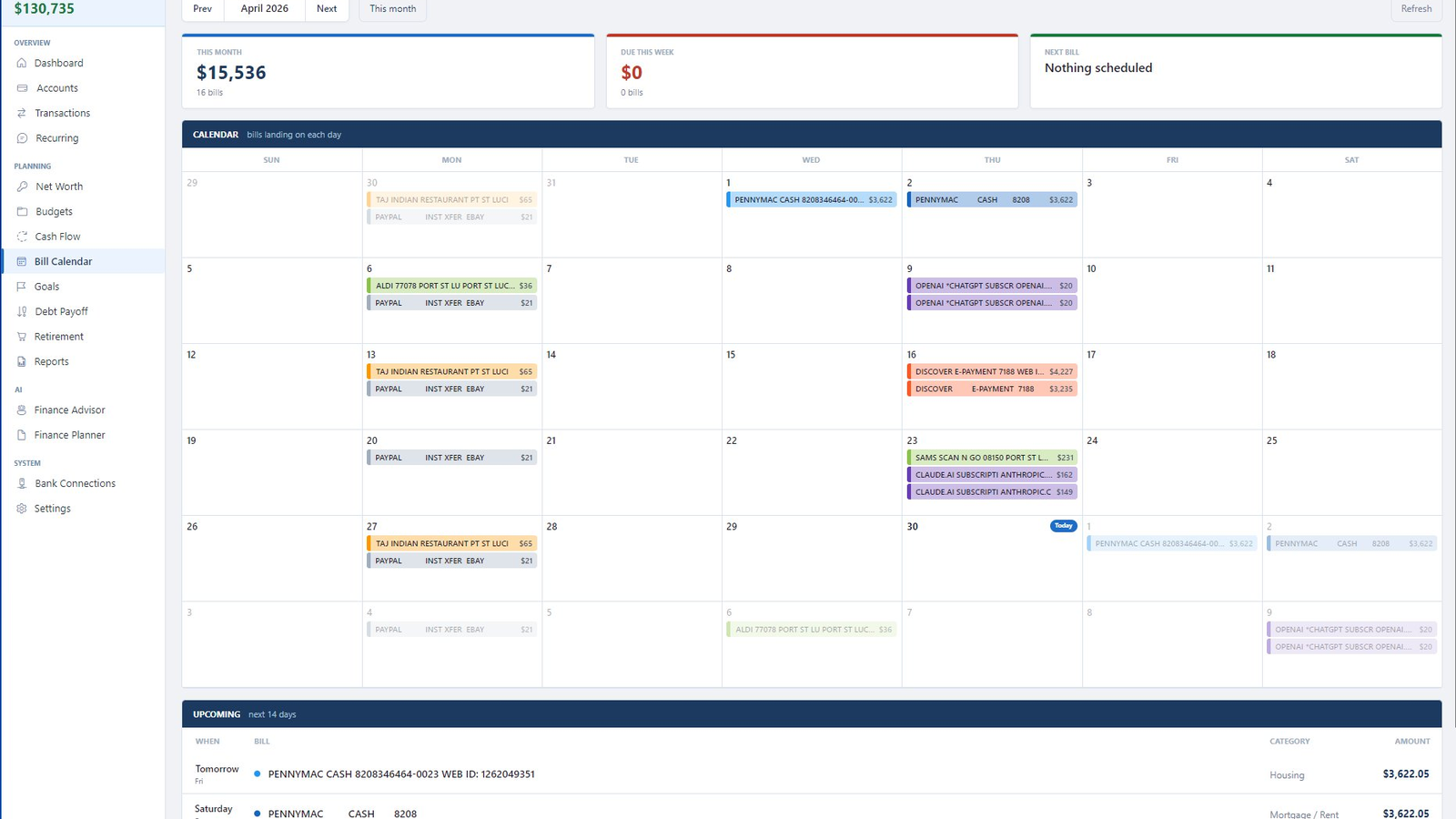
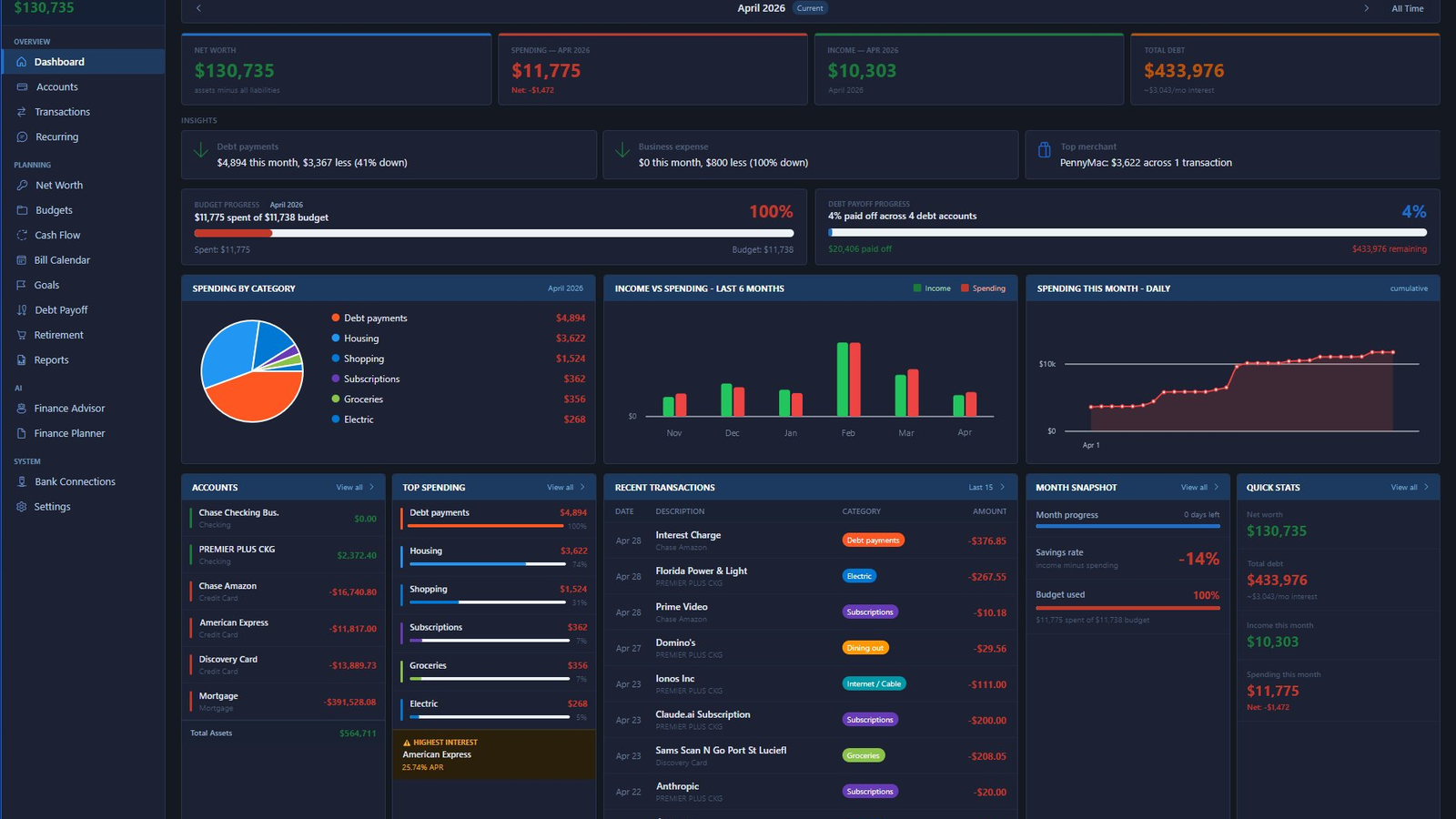
The whole app, at a glance

Click any tile to view full-size. Eleven modules, one $49 license.

One price. Yours forever.

No subscription. No per-account fees. No "premium" tier. The price you pay today is the only price you'll ever pay.

⚡ One-time purchase
$49
Forever · No subscription
  • All 11 modules unlocked
  • Bank sync via SimpleFIN or OFX
  • AI Advisor & Planner (BYO API key)
  • Personal & business in one license
  • 1 year of free updates · then app keeps working
  • 30-day refund, no questions asked

Questions, answered honestly

If something's missing here, email support@deselt.com.

Is my bank password safe?

Vaultly never asks for your bank password. The supported sync methods are:

SimpleFIN Bridge — you authorize SimpleFIN at your bank's website using their normal login flow. SimpleFIN holds a read-only token; Vaultly receives transactions through that token. Your password never leaves your bank.

OFX/QFX file import — you download the file from your bank yourself. Nothing networked, nothing stored elsewhere.

Where is my data stored?

In a SQLite file on your own machine, by default at %APPDATA%\Vaultly\vaultly.db. You can move it, copy it, audit it with any SQLite browser, or back it up to whatever cloud you trust. Nothing about your transactions ever touches our servers.

The only network call Vaultly makes during normal use is license validation (~once per launch, falls back to a 30-day offline cache).

What happens after the 1 year of free updates?

The app keeps working. Forever. Your license never expires.

What expires is your access to future updates. After the year, Vaultly still launches, syncs, categorizes, and reports — same as the day you bought it. If you want the latest features, you'll have the option to renew updates for another year. If you don't, that's totally fine; many users skip a year and pick up updates later.

Why $49 when Mint was free?

Mint was free because you were the product. Intuit (Mint's owner) made money by selling your aggregated financial data to advertisers and by upselling you into Quicken / TurboTax / Credit Karma. When that ad model stopped working, Intuit shut Mint down in 2024.

Vaultly's $49 buys you the actual software, once. We don't have your data to sell, we don't run ads, and we won't be quietly shut down because the ad model collapsed.

Can I use this on a Mac or Linux?

Not yet. Vaultly is currently Windows only (Windows 10 1809 or newer, x64). It's built on Avalonia which is theoretically cross-platform — Mac and Linux versions are on the roadmap but aren't shipped yet.

If you'd find a Mac version useful, email support@deselt.com and tell us. Demand drives priority.

What if my computer dies?

Three layers of protection:

Daily automatic backups — Vaultly creates a backup file every day to a folder you control. Configurable retention.

The .db file is portable — copy it to your new machine, install Vaultly, point it at the file. You're back in business in 5 minutes.

License recovery — your license key was emailed to you when you bought it. From the License Manager you can also deactivate the dead machine and re-activate on the new one without contacting support.

Does the AI know my financial data?

Only when you ask it a question. The AI Advisor uses your own Anthropic Claude or OpenAI API key — Vaultly never proxies these requests through our servers, so your transaction data goes directly from your machine to Anthropic/OpenAI, never to us.

If you don't want any AI in the loop, you can leave the API key field blank. The other 10 modules work fine without it.

How is this different from Quicken?

Quicken is the legacy tool — comprehensive, ancient codebase, $59/year subscription, focus on tax prep. Vaultly is the modern alternative: fewer features but cleaner UX, one-time pricing, and AI-aware analysis Quicken doesn't offer.

If you need investment portfolio tracking with brokerage sync and tax-lot accounting, Quicken is currently better. If you want budgets / cash flow / AI insights / debt planning in a privacy-respecting tool, Vaultly is faster and more focused.

Multi-user? Family sharing?

Two routes:

Shared license, separate machines — your $49 license includes 1 seat by default. Need a second seat for a spouse / partner? Contact support and we'll add it for $20.

SQL Server network mode — for households / small businesses with multiple users editing the same data, Vaultly supports SQL Server 2017+ as the backend instead of SQLite. Multiple installs all read/write the same database. Documentation is in the app's Settings → Bank Connections section.

What's the refund policy?

30 days, no questions asked. Email support@deselt.com with the email address you used to purchase, we refund the full $49 and revoke the license.

That said, the 30-day free trial covers the same window — most people who would have refunded just don't activate at the end of the trial. Trial first, save us both the email round-trip.

Will Vaultly be around in 5 years?

Honest answer: probably yes, but if it isn't, you're fine.

Vaultly is built on a sustainable model — one-time license, no servers to keep running, low overhead. The app doesn't depend on our infrastructure to keep working: even if Deselt vanished tomorrow, your installed copy of Vaultly would continue to run forever, your data would still be on your machine, and OFX/QFX file imports would still work for bank sync.

Compare this to any cloud finance app, where vendor shutdown = your data is locked / lost.

System requirements?

OS: Windows 10 build 17763 (October 2018) or newer. Windows 11 fully supported.
Architecture: x64 only.
Framework: .NET 8 (auto-installed if missing).
Disk: ~150 MB for the app, plus your database (typically < 50 MB even with years of data).
RAM: 4 GB minimum, 8 GB recommended.

Take it for a spin. Decide later.

Full features, real bank sync, complete AI integration — for 30 days, no card required. If it doesn't change how you see your money, walk away owing nothing.